 Unsubbed
Day 2 · Free · Open source
Free text to speech that stays on your device
Unsubbed Listen is a free, open-source text-to-speech app that runs in your browser. Paste text or open a Word file, e-book or web page, press play, and it reads aloud while highlighting each word. Price: $0, with no account, no word limit and no paid tier.
What Listen does
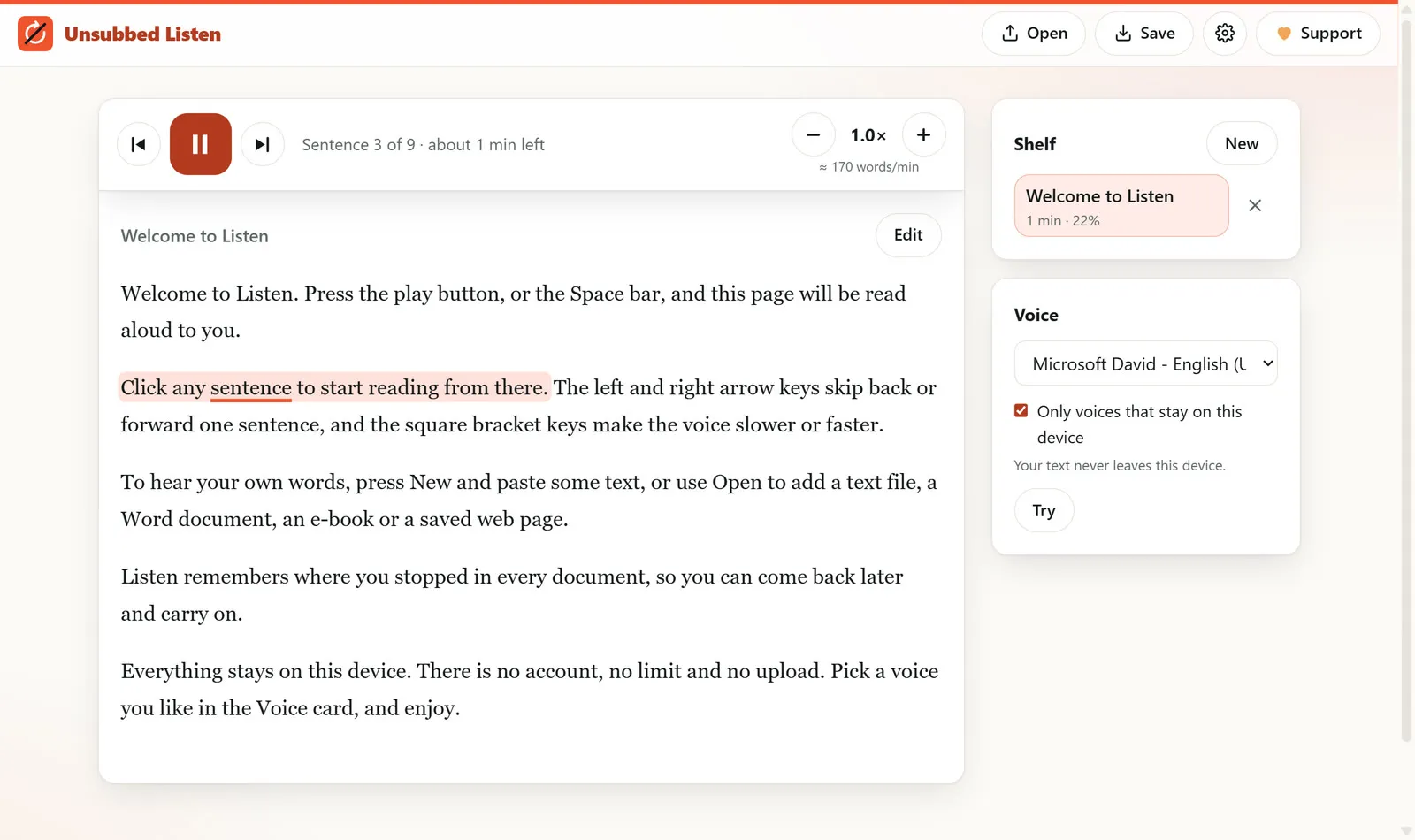
Listen turns any text into speech using the voices already installed on your computer or phone. It tints the sentence being read and underlines each word as it is spoken, so you can follow along. It keeps a shelf of your documents and remembers where you stopped in each one.
Follow every word
The current sentence gets a soft tint and the current word a thick underline.
Start anywhere
Click any sentence to read from there. Arrow keys skip a sentence back or forward.
Your speed, your voice
Pick any installed voice and set the speed from 0.5× to 3×.
Opens your files
Word documents, e-books, web pages, Markdown and plain text, all read on your device.
See it in 25 seconds
How to use it
1. Open Listen and press New to paste text, or Open to add a file. 2. Press play or the Space bar. 3. Click any sentence to jump there. 4. Use [ and ] to slow down or speed up. 5. Come back later and pick up where you stopped.
Private by default
Listen only uses voices that stay on your device unless you choose otherwise. No account, no analytics, no server. The code is public on GitHub under AGPL-3.0, so anyone can check it.
Listen questions
Is there a free alternative to Speechify?
Yes. Unsubbed Listen is a free, open-source text-to-speech app that runs in your browser. Paste text or open a Word file, e-book or web page, press play, and it reads aloud while highlighting each word. It needs no account, has no word limit, and is not affiliated with Speechify.
Does Listen send my text anywhere?
No, not by default. Listen uses only the voices built into your device, so your text is spoken on your own computer or phone. Some browsers also offer online voices; if you turn those on, the browser maker receives the text, and Listen tells you so first. There is no account and no analytics.
Which files can Listen read aloud?
Listen opens plain text, Markdown, saved web pages, Word documents (.docx) and e-books (.epub). Every file is read on your device and nothing is uploaded. PDF files are not supported yet. You can also press New, paste any text you like, and press play to hear it straight away.
Can I download the audio as an MP3?
Not yet. Browsers can speak text with the voices on your device, but they do not let a web page record that speech, so Listen plays it live instead. You can still pick any installed voice, set the speed from half speed up to three times, and Listen remembers your place in every document.
Hear your next read for free
Listen is Unsubbed's day 2 app. Tomorrow brings another. See every free app or help keep them free.